

First Time Making A Video
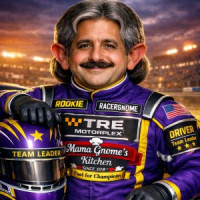
Okay, first hosted race is almost ready. Before I gather the information to post podium finishes, post results, and put up the video; I just thought I would post this little tidbit. BTW, I am using the free software that comes wioth Windows 11; Clipchhamp.
I noticed position of camera is important. I accidently had my personal view of the finish line timer viewable for me. However, I had a camera that filmed from the end of the drag strip back down the track, so the video capture technically doesn't display the timer results on that side. <lol> :-)
I suppose you live and learn by these little mistakes.
Another thing, trying to edit videos when you haven't ever done it before, may not be as easy as the software makes it sound. I ended up moving and cutting sections out, but there was no SAVE feature in my software to go back when mistakes happened. Thus I ended up having to retrace my steps many times to cut, delete, and squish together again. Bigger learning curve that I thought.
I also thougt I could just drop a PDF file onto the video and it would show, it doesn't accept PDF files. So much for cut and paste data easily. I know I probably did it wrong, but I then used Word to create the data files then saved as PDF like I had; but then used Snippit to cut/paste aa new JPG image of the file. Then I could paste the image into the video. Whether or not I did that correctly or not, at least I got it to be in the video.
Even though I have extra cell phones, I didn't have a way to place them strategically on the track. I ordered up some swivel type holders and put them in place, but then trying to sequenced them together didn't pan out with the software I used. This leaves me with the one video shot. I will use my off time now to see what software may be easier to use with more features; but we shall see. I don't need a week long 40 hour schedule to make a short video, but I would like to be able to take multiple views (3 views) and piece them together without too much trouble.
Camera pic background? Hadn't thought about it really, but it would be nice to have a nice white background so taking pictures would be the same for all shots, but that is a future find that should be easy to take care of.
I am just a 63 year old man with COPD but if I can give this video thing a try, then you can too. I am suggesting you might want to read about making videos, and then making a video once before you host. I say this as we can all think we are smart enough for most things, and software can make it seem that it is easy, but when you need to create your first video; knowing how it works and how to use it effectively will be a big benefit. I wish I had made a small video before I did my first hosting event.
Obviously, we all start somewhere and the way forward just gets better as practice becomes more knowledge for each successive attempt.
RacerGnome
Discussion

Good idea suggesting to do some trial runs with your camera to see what you get. Although trial-by-fire is often a good motivator :) Just remember this is diecast racing. While some folks create some great entertainment with their videos, sometimes the video just needs to be proof that racing has occurred. Know your goal and your audience...you don't have to be a Spielberg.
The forum has a good collection of video & photography articles from the past with lots of hint and tips. Some of the tech has changed over the last 15 years BUT in the end we're still shooting and editing video.
I mostly hosted drag races so using one camera could do the trick but it was really just me holding my phone and following the action by hand - see here. No fancy gyros or accessories, just good old fashioned point-and-shoot. I didn't have a timer so that was never really a problem. This was the easy part...
The time suck is the editing, regardless what you're using. I've used Adobe, Clipchamp, and iMovie on my phone. I would often do the actual race trimming and stuff on my phone because it was handy and I could do it sitting on my couch! Then I'd transfer that over to my computer where I would add all the graphics and music and stuff for the final edit. Certainly find the app/software/process that easiest for you to handle but know that no matter what, you'll spend most of your time making that video.

I use shotcut, which isn't fancy, but it works. I record audio through the Zoom record feature. Editing well takes practice!

Keep on working on it and try new things that come along. I held a quick Easter race back in the spring and learned so much about editing and producing. It also made me totally rethink how my track was setup in general and I've since rebuilt it fully.
I've taken a break from doing any media for a couple months for a variety of reasons - I enjoy media creation as much as I loathe it - its a balancing act. Buying an additional camera and hope to be back on the YT by end of the week.

I remember when I found out that a 2 minute race takes 3 hours of loading/editing/uploading. Hosting is a different animal. Just remember, more cameras means more time loading/editing/uploading. All of those things started to make the hobby less enjoyable for me so I do pretty minimal production value. As a side effect, purposefully trying to get it all in the first take has made the video making process a lot faster. Spending more time on the set up and thinking about what I want to say before I even start filming has made things run more smoothly as well. When you find your process it will get better.

It really comes down to what you want to produce as a final project. If you just want to show the drag race and the times, it can be achieved with one camera, stand halfway down the track, follow the cars past to the finish and get a clear shot of the timer in one shot. Then you just have to trim each of those clips to cut out the bits either side of the race. Failry quick and relatively easy, you can also narrate on the video while recording and it has a live feel for it.
However, if you want to try and make something that feels more real, with a story, multiple cameras, interesting angles etc, then that does take a lot of time in editing. If you look at the drag racing we did most recently on our channel, there are setup shos at a diner to intro the cars, then a start camera, changes to a chase cam partway down the track then a finish cam that also shows the timer. It takes about an hour for every minute of footage, maybe more, because the drag race is only 3 seconds long but requires multiple cameras to be synced up, then edited between them. It also takes a lot of hard drive space - we have four GoPro cameras filming in 4K at 120FPS, so a race series can be 1-2GB's of data.
Just find what you want to do and what works best for what you want out of it. I think most drag racers are happy with a single cam option, as they just want to see how they go against the competitor and who has the fastest time.
- Thank you for your comments, it really puts it into perspective. For me, it is the result. I don't ever see me trying to make a production valued video. But I do need to learn the software better and learn how to shoot a better angle. — RacerGnome
Is there a camera that can take a video shot 20' down the track and see the cars and the finish line timer?
Now that I have my first two races done, I want to practice making videos before I host another race. While I did have my phones hooked up in a few places, the cutting/pasting didn't go smoothly. I am looking to see if there is a unit that I can place at one end and get a better video than my phone camera.
Shy of that, I am going to practice with 2 phones. One going up 10' from the middle of the track pointed towards the start gate, and the second phone pointed towards the 10' to the end at the finish line. With these two camera angles and learning how to use software, I will be able to get the full 20' distance of the cars. Hopefully with experience, cutting the two into one piece will get easier and more consistent.
My birthday is in a few days from now and I know MamaGnome will get me a GoPro or equivelant if I ask for it as my birthday present. :-) I just got to see which one is best suited for the simple job of recording in a fixed mount somewhere on the track. I saw a brand like DJII or something that is a bit less expensive, but has great reviews for what it does.
I can't do hold phone in hand and follow cars. My health and movability would not make a good video as I tried that in the beginning. That is why I went with putting my old phones in positions thinking I would use them as pivot points, but it seemed overkill for a 3 second video.
So we are looking at utilizing a new fancy video camera as a present for my 63rd birthday; or use our 2 Samsungs in the middle of the track taping the start gate down to the middle, and the middle of the track to the finish line. Seems the simplest to get started on how to get full coverage, yet not spend 84 hours to make a 5 minute clip. LOL
Anyone suggest a good camera in the $200-$300 range?
- We use the DJI Action 4. A very solid video camera that works well for video. Just not good for closeups — ManiacMotorsports
- One of the units I like is the DJI Osmo Action 5 Pro Essential Combo. This one is about $80 more at $309 than the "4" version, but has a built in memory of 46gb. Thus, would not need a memory card at $50 or more. So it would be neglible of around $30 bucks or so to get the 5 pro. On paper, as I read it, does sound fine for using for recording the races. — RacerGnome
- Don't forget to use a clap board or some loud sound when you're doing 2 cameras. This gives you a clear marker when editing things and lining up different camera angles. — redlinederby
- I might suggest just using your 2+ phone cameras that you have while you practice editing multiple inputs together. You might learn something that can save you from $500+ in GoPro cameras and whatnot...2 cents... — redlinederby
I use open shot for editing.
it has a manual save, and also keeps an undo history.
and I use audacity for recording editing audio
is seems that audio tracks really add to processing time.
I also use external hard drives
good luck!